Contents · Previous: The map · Next: Workspaces
Extra knowledge
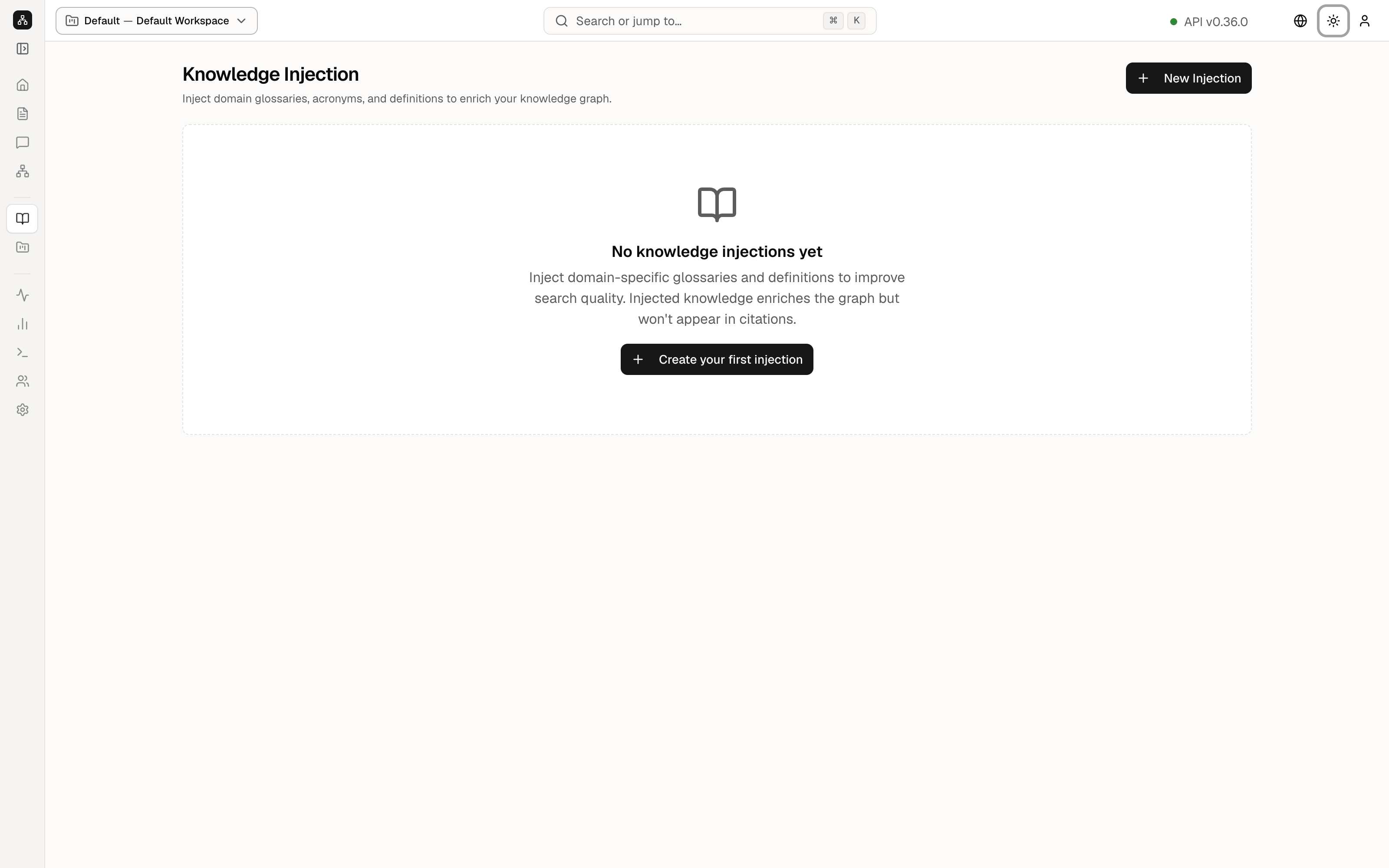
Knowledge is a notebook you write yourself. A glossary, a list of acronyms, or a definition you want the map to respect goes here. The sidebar label is Knowledge. The page title is Knowledge Injection.
The demo has none yet, so the page is an empty state. That is useful: you can see the invitation without anyone else’s notes in the way.
The subtitle under the title says Inject domain glossaries, acronyms, and definitions to enrich your knowledge graph.
New Injection, at the top right, and Create your first injection, in the middle, open the same form. The empty-state sentence says injected knowledge improves search and does not show up as a citation. An answer can use the glossary, and the source chips still point at documents, not at this note.
The form
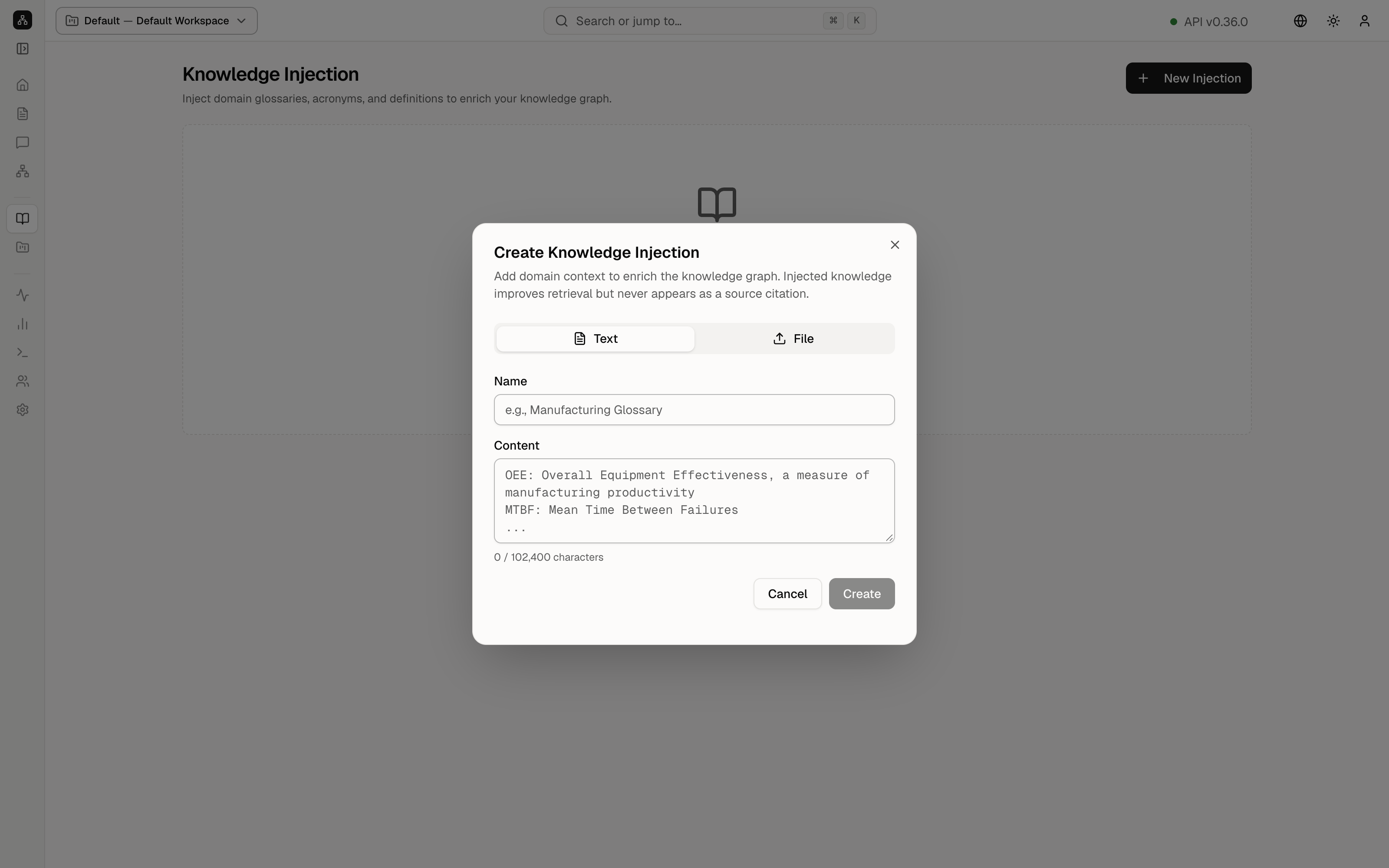
- Text means you type the note. File means you upload a text file instead.
- Name is a label, with the example Manufacturing Glossary.
- Content is the note. The placeholder shows a short example: OEE as Overall Equipment Effectiveness, and MTBF as Mean Time Between Failures. The counter reads 0 / 102,400 characters.
- Cancel closes the form and saves nothing. Create stores the note in this workspace.
On the shared demo, press Cancel. Creating a note would change the public workspace.
After a note exists, it appears in the list on this page. You can come back and edit it. It applies to the workspace shown in the header chip, the same collection as Documents and the map.
Keep going
Next: Workspaces. Questions that should use this extra context are asked on Query.