Contents · Previous: Costs · Next: Settings
API Explorer
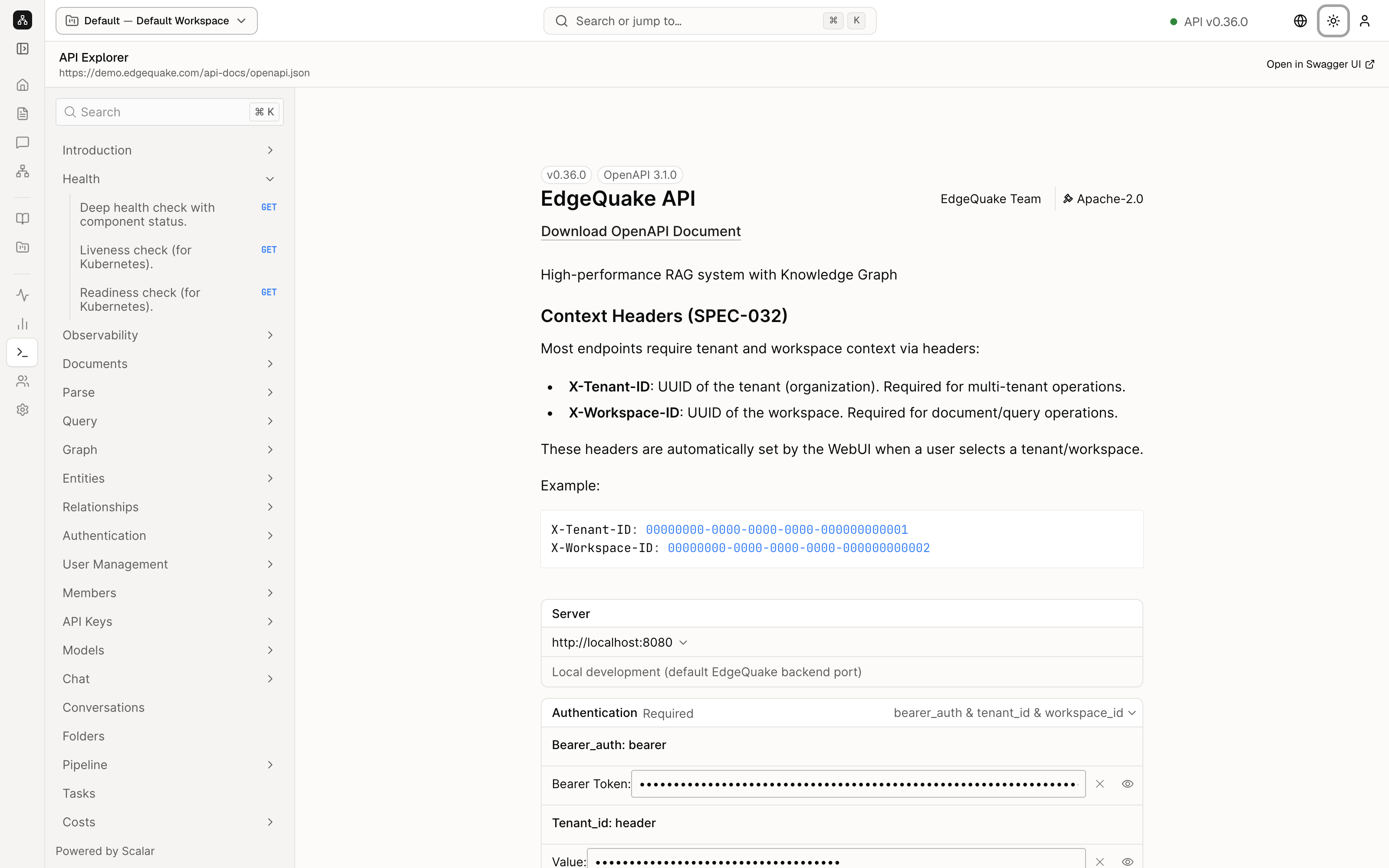
API Explorer is the same product, written as requests a program can send. You do not need it to use the website. Open it when you want to see the exact call behind a button, or when you are writing a script.
The title is API Explorer. Under it is the address of the description file, https://demo.edgequake.com/api-docs/openapi.json. Open in Swagger UI opens the same description in another layout, in a new tab.
Search, with the hint ⌘K, filters the list on the left.
The list
Each row is a group of calls. A chevron opens the group. Health is open in the picture. Inside it:
- Deep health check with component status, a GET (a read-only request). This is the check behind the green API v0.36.0 dot in the header.
- Liveness check (for Kubernetes), also a GET. A simple “the process is up”. Kubernetes is the system that runs the demo server.
- Readiness check (for Kubernetes), a GET. A simple “the process can take work”.
Other groups match the screens you have already seen: Documents, Query, Graph, Entities, Relationships, Pipeline, Tasks, Costs, Tenants, Workspaces, Conversations, Authentication, API Keys, and more. Click a row to read the inputs and outputs of that one call.
The footer of the list says Powered by Scalar, which is the component that draws this page.
The introduction
The right-hand pane is the overview:
- A badge v0.36.0 and OpenAPI 3.1.0. OpenAPI is the standard format of the description file.
- EdgeQuake API, Download OpenAPI Document, and a one-line summary.
- Context Headers. Almost every call needs two headers. X-Tenant-ID is the organization. X-Workspace-ID is the workspace. The website sets both when you pick Default — Default Workspace in the header. The example box shows the all-zero sample ids used in the documentation, not a secret.
- Server is a menu of base addresses. http://localhost:8080 is the usual address on your own machine. The demo you are looking at is
https://demo.edgequake.com. - Authentication says what the call must carry. On this server that is a bearer token (the proof you signed in) plus the tenant id and the workspace id.
You can try a call from this page. A call that creates, deletes, or reprocesses data will change the demo. Stick to the GET health calls if you are only looking.
Keep going
Next: Settings. Asking a question from the website, which is the same idea as the Query calls in this list, is covered in Ask a question.